
Clans of the Forest launched without mouse camera control. Here is how the controls work, the official fix status, and the best workaround until the patch.
Clans of the Forest Controls: What Works and What Doesn't
Warrior Cats: Clans of the Forest does not support mouse camera control at launch. On PC the camera is driven by the keyboard, and players describe the movement as tank-style: the arrow keys turn your cat rather than moving a free mouse look. The studio has acknowledged the complaints and says a keyboard and mouse update is coming "in the coming days". Until it ships, the reliable way to play on PC is a controller — the Steam store page lists the game as Gamepad Recommended with full controller support. Trailmark Games' official game page lists the console versions alongside the PC release.
If you are deciding whether to start now or wait, this page covers the current control scheme, what the developers have actually said, and the workarounds that do not require a patch.
Official source: Mouse and Keyboard Update and Control Concerns Received and Are Being Investigated
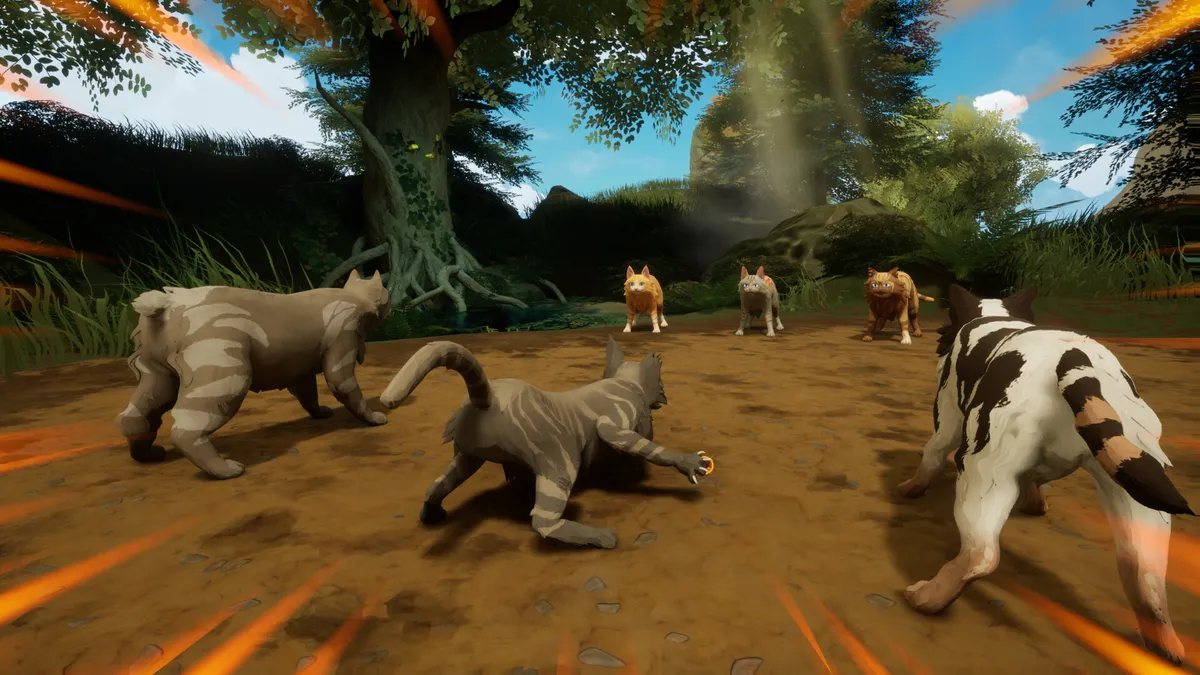
Official Warrior Cats: Clans of the Forest screenshot via Steam.
What the developers have said
Two Steam announcements set the timeline:
- 23 October 2026: "We've received concerns about control issues with the game and we are actively looking into this."
- 24 October 2026: "We've heard the feedback that you'd like better support for the mouse and keyboard. In the coming days we are going release an update that improves your keyboard and mouse experience."
That is the full official statement. Trailmark Games has not published a date, a patch number, or a changelog for the update, and it has not said whether mouse look, rebinding or sensitivity options are included. Anyone claiming a specific patch date is guessing.
How the controls work right now
| Input | What it does at launch | Notes |
|---|---|---|
| WASD | Moves your cat | Standard movement |
| Arrow keys | Turns the camera / steers | This is the part players call tank controls |
| Mouse | Menus and UI | Not a free camera at launch |
| Controller | Full camera and movement | The supported way to play on PC |
| Keyboard | Combat and menus | Works, but camera handling is the complaint |
The Steam store page carries the Full controller support and Gamepad Recommended labels, which is the clearest official signal about the intended input device. On Switch, Switch 2, PS5 and Xbox Series X|S the game is played on a controller by default, so console players are not affected by the PC-specific issue.
The best workarounds until the patch
1. Play with a controller
Any modern Xbox, PlayStation or Switch Pro controller works on PC. If you own the game on console, you already have the best version of the control scheme. This is the only workaround that removes the problem rather than reducing it.
2. Use Steam Input to reshape the keyboard layout
Steam Input lets you build a custom layout for a non-Steam game or a Steam copy. You can move camera turning onto keys that suit your hand, or map turning onto a controller stick and keep the rest on keyboard. It will not add mouse look, but it can make the existing scheme less awkward.
3. Adjust what the game does expose
Open the settings menu and check camera sensitivity and invert options before you start a long session. Small changes to turn speed make the arrow-key camera noticeably easier to live with, especially in the tight den and tunnel sections.
4. Test it on a short session first
Play the opening questline with a controller before committing to a long session, then try ten minutes on keyboard. That tells you more about whether the launch scheme is tolerable for you than any review can.
The game is one day old and the official control patch is imminent. A mod that hooks the input layer can conflict with the update, and there is no established modding scene for this title yet.
Will the patch fix mouse look?
Unknown. The announcement promises an update that "improves your keyboard and mouse experience", which could mean mouse look, rebinding, better sensitivity curves, or all three. The honest answer is that the scope has not been published.
What we do know is that the studio responded within a day of launch, which is a good sign for how the rest of the launch window will be handled. We will update this page when the patch notes appear.
Should you wait?
- You already own it and you have a controller: play now. The control issue is a PC input problem, not a game-breaking bug.
- You only have keyboard and mouse: wait for the patch if awkward camera control would ruin the first hours. The story and progression are not going anywhere.
- You are buying for a child: a controller is the safer purchase on PC, and the console versions avoid the issue entirely.
For platform-specific performance and install details, see the download and where to play guide and the Switch and Switch 2 page.
FAQ
Does Clans of the Forest support mouse and keyboard?
It supports keyboard and mouse input, but the camera is keyboard-steered rather than mouse-look at launch. The studio has confirmed an update to improve keyboard and mouse support.
When is the keyboard and mouse patch out?
No date has been announced. The official post says "in the coming days" as of 24 October 2026.
Can I rebind keys?
Check the in-game settings for the options available in your build; the official patch notes have not listed rebinding changes. Steam Input provides a system-level alternative in the meantime.
Is the game playable on Steam Deck?
The controls issue affects desktop keyboard and mouse. Steam Deck uses its own controls, but check the Steam Deck support page for performance notes before installing.
Are the console versions affected?
No. The complaint is specific to keyboard and mouse camera handling; console versions are designed around a controller.
Related Guides
More Warrior Cats: Clans of the Forest Guides
Warrior Cats: Clans of the Forest is a licensed turn-based RPG from Bamtang Games and Trailmark Games, launching 23 October 2026 with four Clan campaigns.
Clans of the Forest age rating for parents: the ESRB Everyone 10+ label, how much violence there is, the scar toggle, and what younger fans should expect.
Start of Clans of the Forest: create and name your Warrior Cat, pick one of four Clans, rise from apprentice to warrior while foraging, crafting and hunting.
The Clans of the Forest cat creator offers millions of combinations: fur, patterns, colours, tails, whiskers, ears, eyes and markings, on a cat that ages.
Clan ranks in Clans of the Forest: starting as an apprentice, the ranks you can reach, medicine cats, and why the game has no classes to choose.
Clans of the Forest combat is turn-based 3v3 with 75 unlockable moves and no spells - depth comes from shifting combat Stances that every move changes.
Where to download and play Clans of the Forest now that it is out: every official storefront, the PC install size, and how to spot fake free-download pages.
Clans of the Forest costs $29.99 standard or $39.99 Feral Edition on console and $39.58 as a Steam bundle. The Feral Edition is the game plus the Prophecy Pack.